


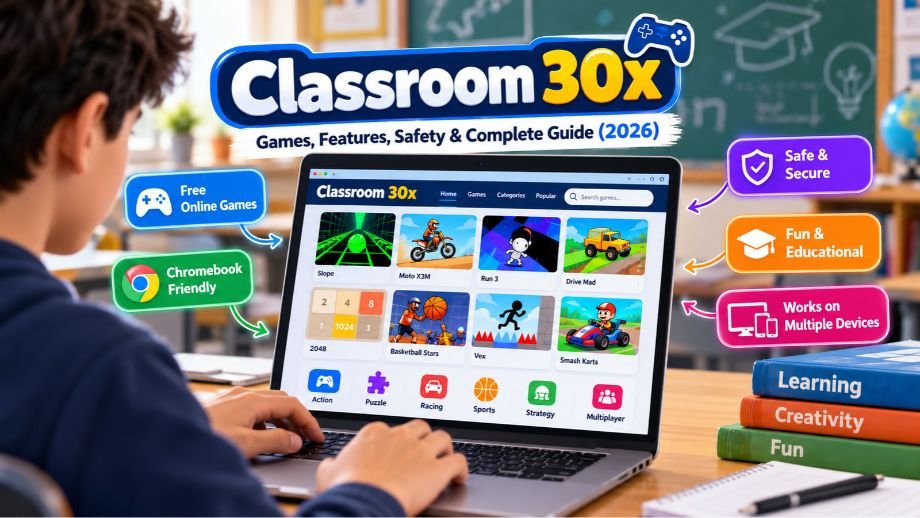
Classroom 30x has attracted attention among students and casual gamers looking for free online games that work directly in a web browser. Often associated with unblocked gaming websites, the name appears across platforms offering everything from racing and puzzle games to sports, arcade challenges, and multiplayer entertainment.
Unlike traditional gaming services, many Classroom 30x websites allow visitors to play without downloading software or creating an account. This accessibility makes browser gaming particularly appealing to Chromebook users and people who prefer quick gaming sessions.
However, there is an important detail that is frequently overlooked: Classroom 30x is not necessarily one official platform. Several websites use similar names, and their content, ownership, features, and safety practices can differ considerably.
This guide explains what Classroom 30x is, how its games work, which devices support browser gaming, and what users should know about privacy, educational value, website reliability, and alternatives in 2026.
What Is Classroom 30x?
Classroom 30x is a name commonly associated with websites that provide collections of browser-based games. These platforms typically let users choose a game from an online library and start playing directly through their internet browser.
The games may include racing challenges, puzzles, platform adventures, sports simulations, strategy games, and classic arcade-style entertainment.
Many websites using the Classroom 30x name promote their collections as free or unblocked games. The term unblocked generally refers to websites that may remain accessible on networks where certain gaming services are restricted.
However, this description does not guarantee that a particular website will work on every school network or managed Chromebook.
Another important distinction concerns the platform’s identity. Multiple websites use Classroom 30x branding, but there is no reliably established central company operating every version.
Consequently, the features available on one Classroom 30x website may not exist on another.
How Does Classroom 30x Work?
Classroom 30x websites generally operate as online gaming directories. Instead of requiring users to download a complete game, they provide access to titles that run within a browser.
A typical visitor opens the website, browses the available categories, selects a game, and waits for it to load.
Once the game starts, controls may involve a keyboard, mouse, trackpad, or touchscreen.
Many modern browser games use technologies such as HTML5, JavaScript, Canvas, and WebGL. These technologies allow developers to create interactive experiences that work across different operating systems.
For example, an HTML5 puzzle game may run on Windows, macOS, and ChromeOS without requiring separate installations for each platform.
Some gaming websites host games directly, while others embed content supplied by external developers or gaming services.
This distinction matters because an embedded game may depend on third-party servers, scripts, advertisements, or storage systems.
If those external resources become unavailable, a game may stop working even when the main website remains accessible.
Does Classroom 30x Require an Account?
Many Classroom 30x gaming versions allow visitors to play without registration.
This makes it convenient for users who want immediate access without creating a username or password.
However, registration requirements vary between websites and games.
Some multiplayer games may require accounts to save progress, access online features, or maintain player profiles.
Playing without an account also does not guarantee complete privacy. Websites can still process technical information, use cookies, or load third-party services.
Main Features of Classroom 30x
Although individual websites differ, several features are commonly associated with Classroom 30x gaming collections.
1. Free Browser Games
One of the main attractions is access to games without an upfront payment.
Many websites advertise free gameplay, allowing visitors to explore different genres without purchasing individual titles.
However, there is no verified universal pricing policy covering every Classroom 30x website.
Some services may rely on advertising or external game providers to support their operations.
2. No Traditional Installation
Many browser games run directly inside Chrome, Firefox, Edge, Safari, or another compatible browser.
This eliminates the need to install a conventional desktop game.
It can also make casual gaming more convenient on devices with limited storage.
However, users should not assume that every game works without additional requirements. Certain titles may need specific browser capabilities or external resources.
3. Different Gaming Categories
Classroom 30x collections commonly feature multiple genres rather than focusing on one type of entertainment.
Visitors may find driving challenges, sports competitions, logic puzzles, action games, platform adventures, and strategy-based activities.
The exact selection depends on the website.
4. Chromebook-Friendly Gameplay
Many browser games are compatible with Chromebooks because they do not require Windows-specific software.
This makes browser gaming attractive to users who primarily work or study on ChromeOS devices.
Nevertheless, compatibility depends on the game’s technical requirements, the Chromebook’s hardware, and any restrictions configured by its administrator.
5. Simple Controls
Many casual games use straightforward keyboard or mouse controls.
For example, racing games may use arrow keys, while puzzle games often rely on mouse clicks or touchscreen interactions.
This makes certain titles accessible to beginners, although some games require considerable practice.
6. Short Gaming Sessions
Browser games often support quick sessions without extensive setup.
Players can choose a title, begin playing, and stop when necessary.
Some games are designed around short levels, while others involve longer campaigns or competitive matches.
Popular Classroom 30x Games
The Classroom 30x name has been associated with a variety of familiar browser games.
However, there is no verified universal game library. A title mentioned in a guide may not be available on every website using the name.
The following games are representative examples found in discussions and descriptions of Classroom 30x-style gaming collections.
| Game | Genre | Main Gameplay |
|---|---|---|
| Slope | Arcade | Control a moving ball while avoiding obstacles |
| Run 3 | Platform | Navigate challenging pathways in space |
| Moto X3M | Racing | Complete motorcycle obstacle courses |
| Drive Mad | Driving | Balance vehicles across difficult terrain |
| 2048 | Puzzle | Combine numbered tiles |
| Bloxorz | Logic puzzle | Move a block through spatial challenges |
| Basketball Stars | Sports | Compete in basketball-themed matches |
| Retro Bowl | Sports | Manage and play American football |
| Vex | Platform | Complete obstacle-filled levels |
| Tunnel Rush | Arcade | React quickly to moving obstacles |
| Age of War | Strategy | Manage resources and defend against opponents |
| 1v1.LOL | Multiplayer action | Compete in building and shooting challenges |
| Smash Karts | Multiplayer racing | Race and compete against other players |
| Riddle School | Adventure puzzle | Solve puzzles and progress through a story |
Racing and Driving Games
Racing games are popular among casual browser gamers because they combine simple controls with challenging gameplay.
Titles such as Moto X3M and Drive Mad focus on timing, vehicle control, and obstacle navigation.
These games often feature progressively difficult levels that encourage repeated attempts.
Puzzle and Strategy Games
Puzzle games appeal to users who enjoy logical thinking and planning.
For example, 2048 requires players to combine numbered tiles strategically, while Bloxorz challenges spatial reasoning.
Strategy games may involve resource management, defensive decisions, or planning ahead.
Although these activities involve cognitive skills, they should not automatically be considered substitutes for structured educational instruction.
Sports Games
Sports-themed games offer simplified versions of familiar competitive activities.
Basketball Stars focuses on basketball challenges, while Retro Bowl combines football gameplay with team-management elements.
These games may appeal to users who prefer competition over traditional puzzles.
Arcade and Platform Games
Arcade games typically emphasize movement, timing, coordination, and quick reactions.
Slope, Run 3, Vex, and Tunnel Rush are examples of games associated with this category.
Their simple presentation can make them easy to understand, although mastering the mechanics may require practice.
Multiplayer Games
Some browser gaming collections include multiplayer titles that allow users to compete against others.
Games such as Smash Karts and 1v1.LOL illustrate this category.
Multiplayer experiences may require a stable internet connection and can introduce additional considerations involving player interactions, account systems, and online safety.
How to Play Classroom 30x Games
Playing a browser game is generally straightforward.
Step 1: Identify a trustworthy website
Start by checking the website’s address and confirming that it displays the content you expect.
Because multiple domains use Classroom 30x branding, avoid assuming that every similarly named website is operated by the same organization.
Step 2: Browse the available games
Look through the categories or use the website’s search function, if available.
Choose a game that interests you and is appropriate for your device.
Step 3: Open the game
Select the title and allow the browser to load its resources.
Loading times depend on the game, device performance, internet connection, and external servers.
Step 4: Check the controls
Read the game’s instructions before starting.
Some games use arrow keys or WASD controls, while others rely on mouse clicks or touchscreen gestures.
Step 5: Start playing
Once the game loads, follow its objectives and controls.
If the website requests an unexpected download, browser extension, or sensitive information, verify that the request is legitimate before proceeding.
Does Classroom 30x Work on Chromebooks?
Many games associated with Classroom 30x can work on Chromebooks because they use browser-based technologies.
ChromeOS supports modern web applications, including many HTML5 and JavaScript games.
For lightweight puzzle and arcade games, a Chromebook may provide adequate performance without requiring dedicated gaming hardware.
However, compatibility is not guaranteed.
Several factors influence whether a particular game works.
Browser Compatibility
Some games require modern browser features.
An outdated browser may struggle with certain scripts, graphics, or interactive elements.
Keeping the browser updated can help resolve compatibility issues.
Hardware Performance
Chromebooks vary significantly in processing power, memory, and graphics capabilities.
Simple games may run smoothly on entry-level hardware, while more demanding WebGL titles may experience reduced performance.
School Network Restrictions
A Chromebook managed by a school may have additional restrictions.
Administrators can limit website access, browser features, extensions, or categories of online content.
A game that works on a personal Chromebook may therefore be unavailable on a school-managed device.
Browser compatibility and school permission are separate issues. A technically compatible game is not necessarily authorized for use on a school network.
Can You Play Classroom 30x on Mobile Devices?
Some Classroom 30x-style browser games can run on smartphones and tablets.
Modern mobile browsers support many of the same web technologies used by desktop browsers.
However, touchscreen compatibility is an important limitation.
A game designed around keyboard controls may be difficult or impossible to play properly on a phone.
Screen size can also affect the experience.
For example, a game with detailed menus or precise controls may be easier to use on a laptop than on a small smartphone display.
Device Compatibility Overview
| Device | General Compatibility |
|---|---|
| Windows PC | Many browser games supported |
| Mac | Many browser games supported |
| Chromebook | Many compatible games, subject to restrictions |
| iPad | Depends on touchscreen support |
| Android tablet | Depends on game requirements |
| iPhone | Game-specific compatibility |
| Android smartphone | Game-specific compatibility |
There is no verified official Classroom 30x mobile application representing every website using the name.
Users should therefore be cautious about applications or downloads claiming to be the universal official version.
Is Classroom 30x Safe?
Classroom 30x cannot be assigned one universal safety rating because different websites use the name.
Some may provide ordinary browser games, while others may use unfamiliar advertisements, external redirects, or third-party content.
The safety of a particular website depends on its operator, technical configuration, privacy practices, and the content it distributes.
Website Identity and Ownership
One concern is the absence of a clearly established central operator.
Several Classroom 30x domains exist, but their branding does not prove common ownership.
Before using a website, visitors should consider whether it identifies its operator, provides contact information, and publishes understandable privacy policies.
A website that lacks these details is not automatically malicious, but limited transparency makes independent evaluation more difficult.
Website Redirects and Changing Domains
An important finding from the October 2026 research concerns the domain classroom30x.io.
The domain had previously appeared in search results as a browser gaming website.
However, when examined during the research, it redirected to an unrelated destination featuring gambling-related content.
This discrepancy illustrates why users should not assume that a website remains trustworthy simply because it previously hosted familiar games.
Domain ownership, redirects, and website content can change.
The observation does not establish when or why the redirect occurred, and the destination may change again.
Nevertheless, users should avoid entering personal information or downloading files from unexpected destinations.
Advertisements and External Content
Free gaming websites may use advertisements or embedded content from third-party providers.
These services can introduce additional privacy and security considerations.
Users should be cautious about misleading download buttons, suspicious pop-ups, and advertisements that imitate browser warnings.
A legitimate browser game generally should not require unrelated software merely to begin a simple gaming session.
Privacy and Data Collection
Some Classroom 30x versions allow gameplay without registration, but that does not necessarily mean they collect no information.
Websites may process IP addresses, browser details, cookies, analytics data, or other technical information.
Embedded games may also have their own privacy practices.
Because no universal Classroom 30x privacy policy has been established, users should evaluate the specific website they visit.
Is Classroom 30x Safe for Children?
Suitability depends on the individual game and website.
Some puzzle games may be appropriate for younger audiences, while certain action or multiplayer titles may contain competitive violence, advertisements, or interactions with other players.
Parents and educators should review the games themselves rather than relying entirely on a website’s educational branding.
What Does Classroom 30x Unblocked Mean?
The phrase Classroom 30x unblocked commonly appears in searches for browser games.
In gaming terminology, an unblocked website is generally one that can be accessed on a network where other gaming websites may be restricted.
However, access depends on the network’s configuration.
Schools and organizations may use filtering systems to restrict gaming content, specific domains, or external scripts.
Consequently, a website described as unblocked may work on one network but remain inaccessible on another.
The term also does not imply that a school has approved the website.
Students using managed devices should follow their institution’s internet policies.
Is Classroom 30x an Educational Platform?
Classroom 30x is frequently associated with students and school-related gaming searches.
However, this does not automatically make it a formal educational platform.
Some games involve activities that may be relevant to learning.
Puzzle games can require logical reasoning, strategy games may involve planning, and certain activities use mathematics or pattern recognition.
These characteristics can make selected games useful as supplementary activities.
Nevertheless, educational value depends on the specific game, learning objective, and context in which it is used.
Playing a game that involves problem-solving does not prove that it improves academic achievement.
Does Classroom 30x Offer AI-Powered Learning?
Some online descriptions present Classroom 30x as an advanced educational system with artificial intelligence.
Reported capabilities include personalized learning, adaptive difficulty, automated grading, AI tutoring, and student progress tracking.
However, the research did not establish reliable product documentation confirming these features across the Classroom 30x gaming websites.
There is also no verified unified teacher dashboard or curriculum-management system associated with all versions.
These claims should therefore be treated as unverified rather than established platform functionality.
Can Teachers Use Classroom 30x?
Teachers may find certain browser games useful for supplementary activities, particularly when the games support a defined learning objective.
For example, a mathematics puzzle might be incorporated into a short classroom exercise.
However, educators should evaluate the individual game for age suitability, accessibility, privacy, and instructional relevance.
Classroom 30x should not be presented as a replacement for a dedicated learning management system.
Classroom 30x vs. Google Classroom
Despite the similar names, Classroom 30x and Google Classroom serve different purposes.
Google Classroom is an official educational service developed by Google.
It helps teachers organize assignments, communicate with students, distribute materials, and manage classroom activities.
Classroom 30x, by contrast, is primarily associated with browser gaming websites.
| Feature | Classroom 30x | Google Classroom |
|---|---|---|
| Main purpose | Browser gaming | Classroom management |
| Official Google product | No verified affiliation | Yes |
| Online games | Primary attraction | Not a core feature |
| Assignment management | No unified system established | Supported |
| Grading tools | Not verified platform-wide | Supported |
| Teacher communication | Not established platform-wide | Supported |
| Student accounts | Often unnecessary for games | Used for classroom participation |
| Curriculum management | Not established | Supports organized educational workflows |
| Primary audience | Casual gamers and students | Teachers, students, and educational institutions |
A website using Google Sites or another Google-hosted service does not automatically become an official Google Classroom product.
Users searching for assignments, classroom announcements, or teacher feedback should use the appropriate educational platform rather than an unrelated gaming website.
Is Classroom 30x Free?
Many Classroom 30x gaming websites advertise free access.
Users can often select and play games without purchasing a subscription.
However, no verified universal subscription or pricing structure exists for every website using the name.
There is also no reliable evidence establishing a common premium membership, paid AI tutoring plan, or institutional license.
Some websites may generate revenue through advertising or third-party arrangements.
Users should review any payment request carefully, especially when it appears on a website whose ownership is unclear.
Why Is Classroom 30x Not Working?
Browser games can fail for several reasons, including website outages, network restrictions, outdated browsers, incompatible controls, or unavailable third-party resources.
The appropriate solution depends on the problem.
1. The Website Does Not Open
First, confirm that the address is correct.
A website may be temporarily unavailable, have an expired domain, or be restricted by the network.
If the problem occurs only on a school-managed device, institutional filtering may be responsible.
2. The Game Shows a Black Screen
A blank or black screen may indicate a loading failure, unsupported browser feature, or unavailable game resource.
Refreshing the page or using an updated browser may help.
If the problem continues, the embedded game itself may be unavailable.
3. Gameplay Is Slow
Performance issues can result from limited device memory, graphics requirements, or competing browser processes.
Closing unnecessary tabs and reducing background activity may improve performance.
More demanding games may require stronger hardware.
4. Keyboard Controls Do Not Work
Some games require the user to click inside the game window before keyboard controls become active.
Others use different control schemes.
Checking the game’s instructions can help identify the correct keys.
5. The Game Does Not Work on Mobile
A game designed for a keyboard and mouse may not support touchscreen input.
In that case, a compatible laptop or desktop computer may provide a better experience.
6. The Website Redirects Unexpectedly
An unexpected redirect deserves particular attention.
It may indicate that the website’s configuration, destination, or ownership has changed.
Avoid interacting with suspicious content and verify the destination before continuing.
7. Saved Progress Disappears
Some browser games store progress locally.
Clearing cookies or browser storage, switching devices, or using private browsing may prevent saved progress from appearing.
Not every game supports cloud synchronization.
Benefits of Classroom 30x
Classroom 30x-style gaming websites can offer several practical advantages.
Convenient access: Many games launch directly in a browser without conventional installation.
Free entertainment: Numerous versions provide games without an upfront charge.
Different genres: Players can explore racing, puzzles, strategy, sports, and arcade challenges.
Chromebook compatibility: Many lightweight browser games can run on ChromeOS devices.
Simple gameplay: Certain games are easy for beginners to understand.
Flexible sessions: Players can enjoy short activities without committing to lengthy gaming sessions.
Potential learning-related activities: Selected puzzle and strategy games may complement educational exercises when used appropriately.
These benefits are not universal guarantees. The experience depends on the individual website and game.
Limitations and Disadvantages
Despite its convenience, Classroom 30x has several limitations.
One major concern is inconsistent website identity. Multiple domains use similar branding, making it difficult to establish which operator is responsible for a particular service.
Another limitation is changing game availability.
A title listed in an older article may disappear, move, or stop functioning because its hosting arrangement has changed.
Privacy transparency can also vary.
Some websites provide limited information about data collection, advertising, or third-party services.
Educational claims require caution as well. The presence of puzzle games does not establish that the platform provides structured instruction or measurable academic benefits.
Finally, access on school-managed devices is not guaranteed, regardless of whether a website describes itself as unblocked.
Best Alternatives to Classroom 30x
Users looking for similar entertainment have several established alternatives.
The best choice depends on whether the priority is casual gaming, puzzles, or educational activities.
Coolmath Games
Coolmath Games offers a collection of browser games emphasizing puzzles, strategy, and other casual activities.
It is a relevant alternative for users who enjoy games involving logic and problem-solving.
Poki
Poki provides browser-based games across numerous genres.
Its collection includes casual, racing, action, puzzle, and multiplayer experiences.
It may appeal to users who want a broad gaming library without conventional software installation.
CrazyGames
CrazyGames offers online games across multiple categories, including driving, action, puzzle, and multiplayer titles.
It is another option for users interested in browser gaming.
PBS Kids Games
PBS Kids Games focuses on activities designed for children.
It is more directly oriented toward younger audiences and educational entertainment than general unblocked gaming portals.
ABCya
ABCya offers educational games and learning activities, particularly for elementary-age students.
It may be more appropriate when the primary objective is learning rather than general entertainment.
Kahoot!
Kahoot! focuses on interactive quizzes and learning activities.
It is particularly useful in educational settings where teachers want to encourage participation and assess understanding.
Which Alternative Is Best?
| Platform | Main Focus | Suitable For |
|---|---|---|
| Classroom 30x | Browser gaming collections | Casual gaming |
| Coolmath Games | Puzzles and strategy | Logic-oriented games |
| Poki | General browser games | Broad gaming variety |
| CrazyGames | Browser gaming | Casual and multiplayer games |
| PBS Kids Games | Children’s educational entertainment | Younger learners |
| ABCya | Educational games | Elementary learning activities |
| Kahoot! | Interactive quizzes | Classroom participation |
Each platform has its own content, access requirements, and privacy practices.
Users should evaluate the specific service rather than assuming all browser gaming websites operate in the same way.
Final Thoughts
Classroom 30x is best understood as a name associated with browser-based gaming websites rather than one clearly established educational platform. Its appeal comes from convenient access to free games, familiar gaming categories, and compatibility with many modern browsers.
For casual gamers, these websites may provide quick entertainment through racing challenges, puzzles, arcade games, and other activities. Some titles also involve skills relevant to learning, although their educational benefits should not be overstated.
The most important consideration is website identity. Multiple domains use Classroom 30x branding, and their ownership, content, privacy practices, and reliability may differ.
The observed redirection of a previously indexed gaming domain also demonstrates why users should verify website addresses rather than relying entirely on older recommendations.
In 2026, Classroom 30x remains primarily a browser-gaming search term. Users can make more informed decisions by checking the specific website, understanding its limitations, respecting school network policies, and choosing games appropriate for their devices and needs.
Frequently Asked Questions
What is Classroom 30x used for?
Classroom 30x is primarily associated with websites offering browser-based games. Users commonly visit these sites for racing, puzzles, arcade challenges, sports, and other casual entertainment.
Is Classroom 30x free to use?
Many Classroom 30x gaming versions provide free access. However, there is no verified universal pricing policy covering every website using the name.
Is Classroom 30x safe for students?
Safety depends on the specific website and game. Users should review website addresses, privacy practices, advertisements, and age suitability before playing.
Can Classroom 30x run on a Chromebook?
Many browser games can run on Chromebooks. Actual compatibility depends on the game, device performance, browser features, and network restrictions.
Is Classroom 30x part of Google Classroom?
No official affiliation has been established. Google Classroom is a separate educational service used for assignments, classroom communication, and related activities.
Does Classroom 30x require downloads?
Many games run directly in a browser without conventional installation. However, requirements vary, and users should be cautious about unexpected download prompts.
Why do some Classroom 30x websites redirect?
Redirects can occur because of website configuration changes, domain changes, or other operational reasons. A previously indexed Classroom 30x domain was observed redirecting to unrelated content during research in October 2026, making it important to verify the destination.
